Enterprise automation tooling for HCL Software: a visual workflow orchestrator and a conversational operations assistant. The shipped interfaces are public; the full process and outcomes are under NDA and shared privately on request.
- Enterprise
- AI tooling
- Design system
01The challenge
The core problem
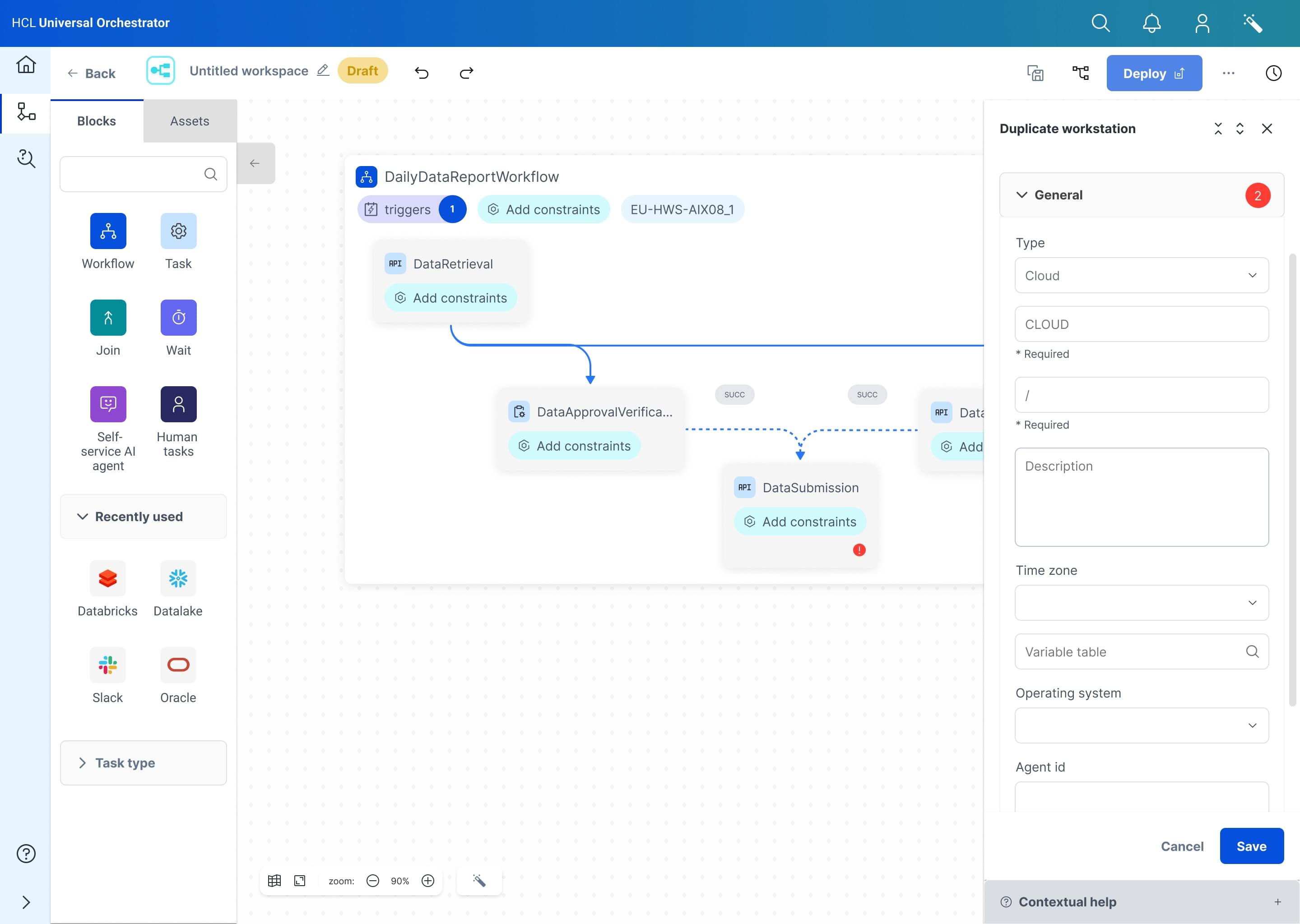
Enterprise users were trapped in HCL's legacy automation platform: tabular interfaces that demanded manual syntax, steep learning curves and error-prone configuration. Building a workflow meant writing complex syntax into spreadsheet-like screens with no visual feedback, so every change carried the anxiety of a typo taking down a production job. The transformation moved all of it to an intuitive drag-and-drop canvas where workflows are designed, read and managed visually. The key insight: automation is inherently visual. People think in if-this-then-that flows, not in database tables.
02The product
If this,then that.
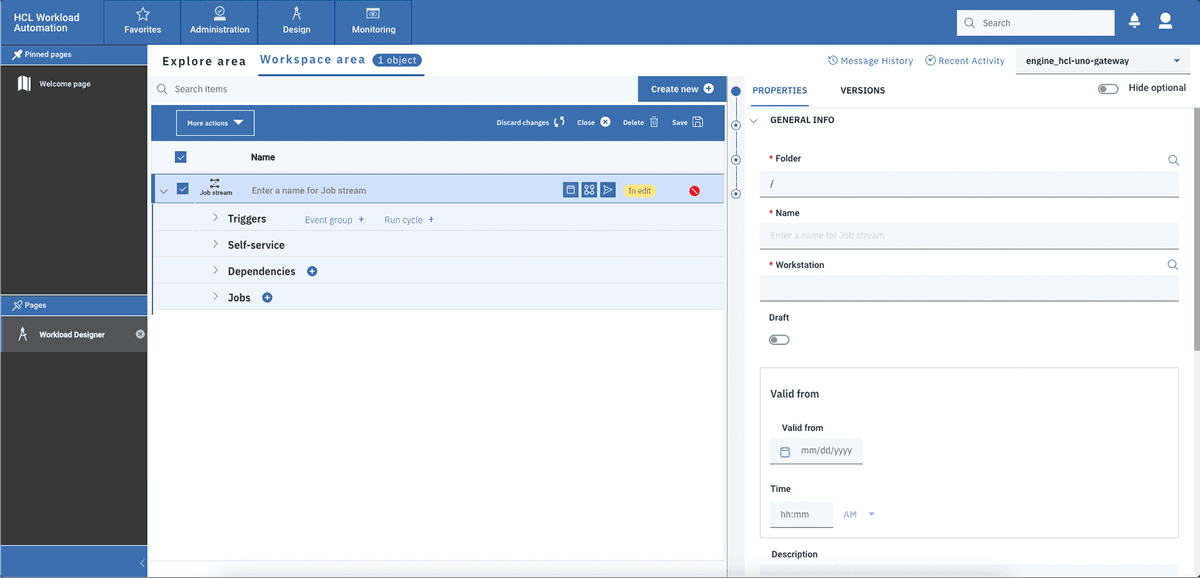
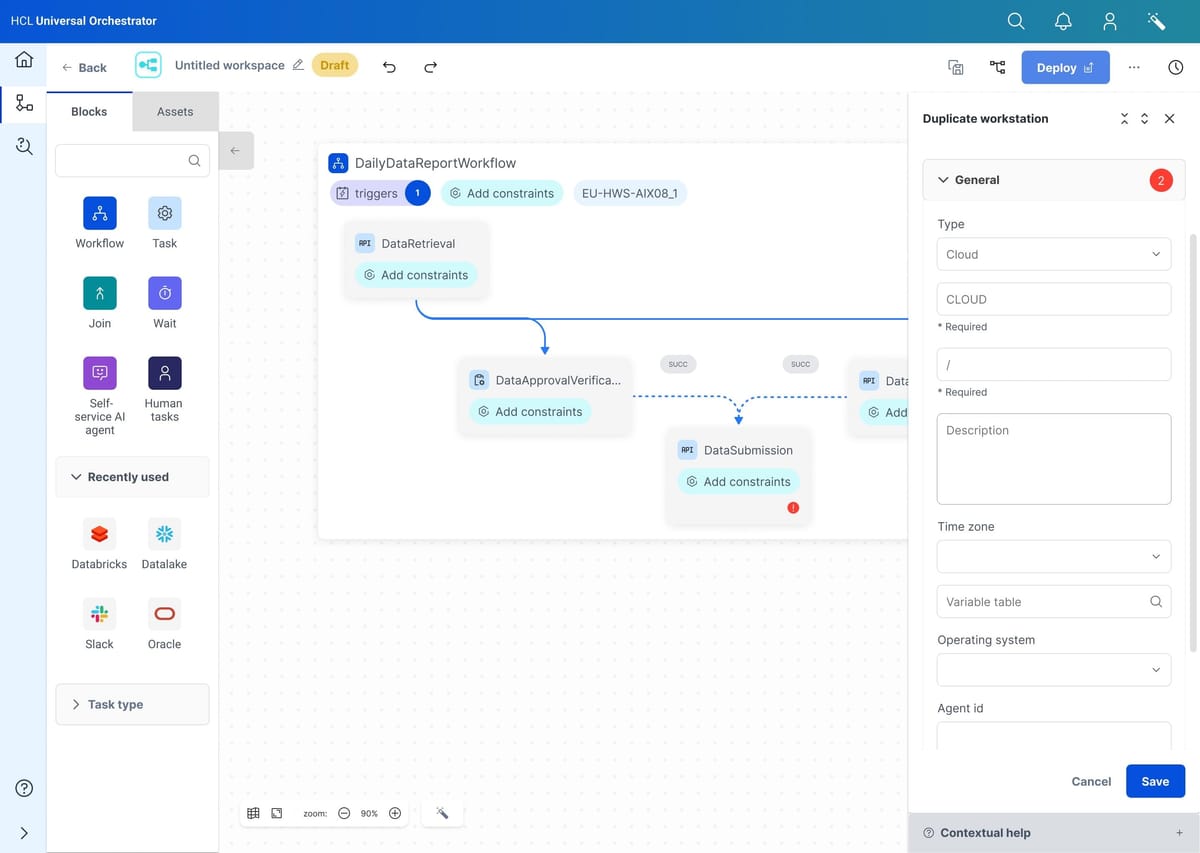
People do not think in database tables. The canvas lets an architect draw the automation the way they already describe it out loud.
- DailyDataReportWorkflowDraft
DataRetrievalAPI task
Add constraintsDataApprovalVerificationHuman task
Add constraintsDataSubmissionAPI task
Add constraints- Deploy
Universal Orchestrator turns a job schedule into a canvas. Task blocks, triggers, joins and human steps snap together into flows that read left to right, constraints attach directly to the block they govern, and a workstation panel keeps the deployment details one click away from the diagram. The same canvas deploys across hybrid environments, from cloud services to the AIX box in the basement, without the person drawing the flow having to care about the difference.
03The assistant
An assistant instead of a console
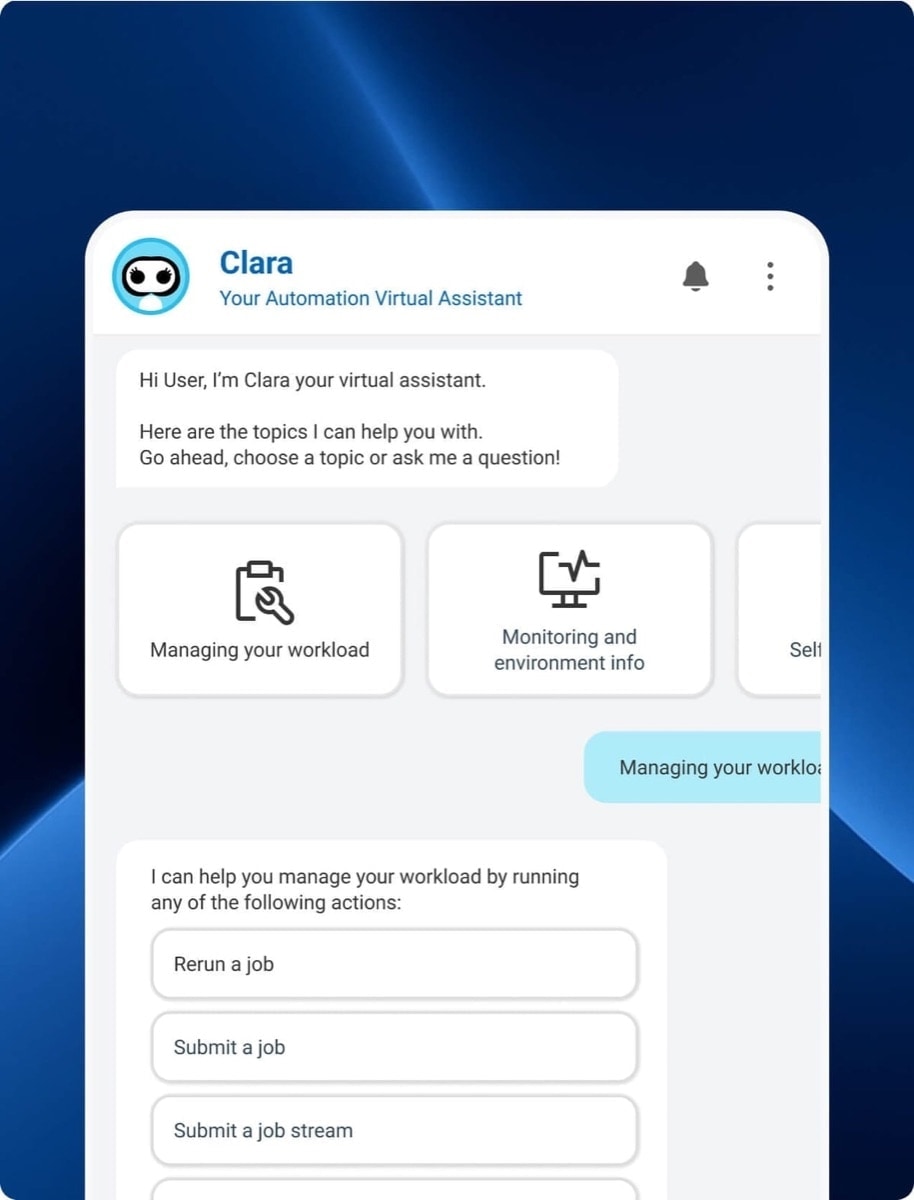
Clara is the second shipped interface: a conversational assistant that sits on top of the same automation engine. Rerunning a failed job, submitting a job stream or checking the health of an environment becomes a sentence instead of a hunt through a dense admin console. Topics guide people who do not know what to ask, and quick actions keep the frequent operations one tap away, so the assistant serves both the operator who lives in the platform and the manager who visits it twice a month.
ClaraYour automation virtual assistant
- Rerun a job
- Submit a job
- Submit a job stream
04The process
Database operationsbecame storytelling.
The work ran from 2023 to 2025 as a close collaboration with enterprise architects, product managers and development teams across multiple time zones, in constant negotiation between user needs and technical constraints. It started with user research and stakeholder interviews on the legacy system's pain points, moved through journey mapping with enterprise architects and iterative workshops, and produced a visual language for complex automation concepts. The breakthrough was a reframe: stop treating automations as database operations and start treating each one as visual storytelling, a narrative flow anyone can read and modify. A scalable design system, built with development, keeps that language intact as capabilities grow.
What shipped.
- A drag-and-drop workflow canvas with triggers, joins and constraints
- Deployment across hybrid environments from one diagram
- Clara, a conversational assistant over the automation engine
- A scalable design system shared with development
How it was built.
- User research and stakeholder interviews on the legacy platform
- Journey mapping with enterprise architects
- Iterative workshops across multiple time zones
- A visual language for automation concepts, kept coherent by the design system
05The outcome
Both interfaces shipped and are in production with enterprise customers. What is public stops here: the deeper brief, the research material and the measured outcomes are covered by an NDA and shared privately on request.